Live Broadcast and Screen Content Across Your Branch Network, Managed From One Centre
NOXSIGN TV is a central screen management platform that lets you display the live broadcast from your organisation's existing IPTV subscription on branch screens and publish your corporate content — promotional films, campaign announcements, match scores and information bars — on the same screen. What is playing on which screen in which location is monitored from a single panel; authorised users update content instantly.
The broadcast stream reaches the screen directly from your organisation's service provider. İskaysoft provides the playback and management software; it does not provide IPTV subscriptions, channel lists or broadcasting services.
 LIVE BROADCAST
channel selected from your organisation's subscription
LIVE BROADCAST
channel selected from your organisation's subscriptionSetup and Operation: Three Stages
Subscription Details Are Defined at Head Office
Your organisation's existing IPTV subscription details are entered only by the head-office administrator. They are not shown to branch users and are not embedded in the screen application.
Channels Are Authorised per Branch
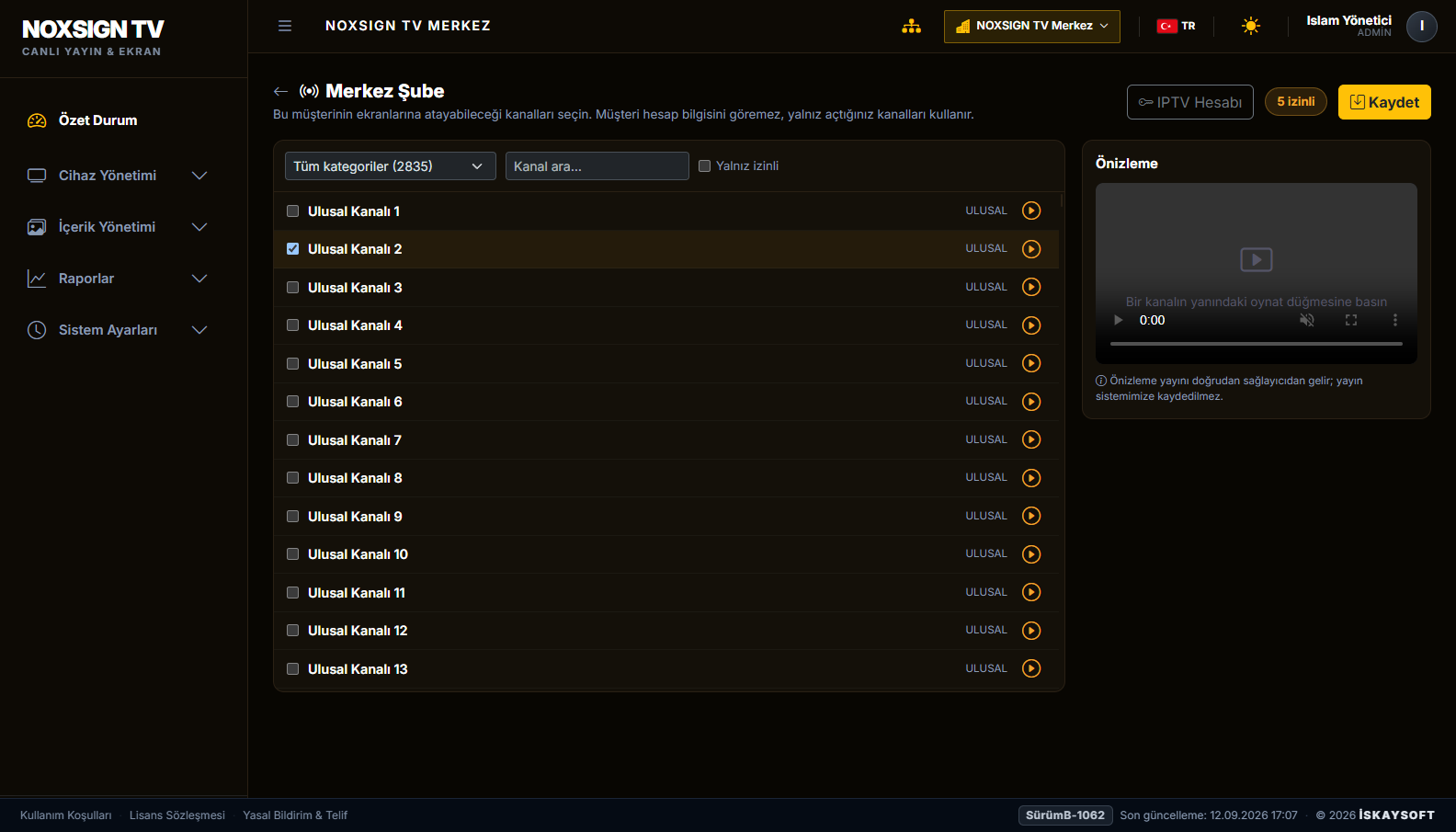
Head office decides which channels each branch may access. A branch can only choose among the channels assigned to it; an unauthorised channel is never sent to a screen.
Screens Go Live
The branch assigns a channel and corporate content to its screens. The broadcast reaches the screen directly from the service provider; changes are delivered to screens automatically and require no on-site intervention.
Live Broadcast and Corporate Content on the Same Screen
The screen layout is divided into zones to suit your organisation. Live broadcast can run alongside a match score bar, a promotional film, a campaign announcement and an information screen. Waiting time becomes corporate communication.
Live Broadcast
The channel chosen from your organisation's subscription is broadcast without interruption, either full screen or in the allocated zone.
Your Own Video Content
Promotional films, campaign visuals and corporate announcements are queued as a playlist and scheduled by day and time.
Scores, Menu and Information Screen
Match scores, price lists, menu boards, queue and information displays or your corporate web page are shown in the allocated zone of the screen.
Content That Changes by Time of Day
Information display during the day, live broadcast in the evening: the broadcast plan defines which content appears at which hour.
Live Broadcast, Score Bar and Corporate Content on One Screen
The score bar below is the actual page running on the screens; as data changes, the relevant row is highlighted and then returns to normal. The middle zone represents the live broadcast area and the lower zone the corporate content area.
LIVE BROADCAST
the channel chosen from your organisation's subscription is broadcast in this zoneExample Set-ups
The number of zones, their proportions and the content type can be defined separately for each screen.
Central Management and Operations
On Your Site Plan
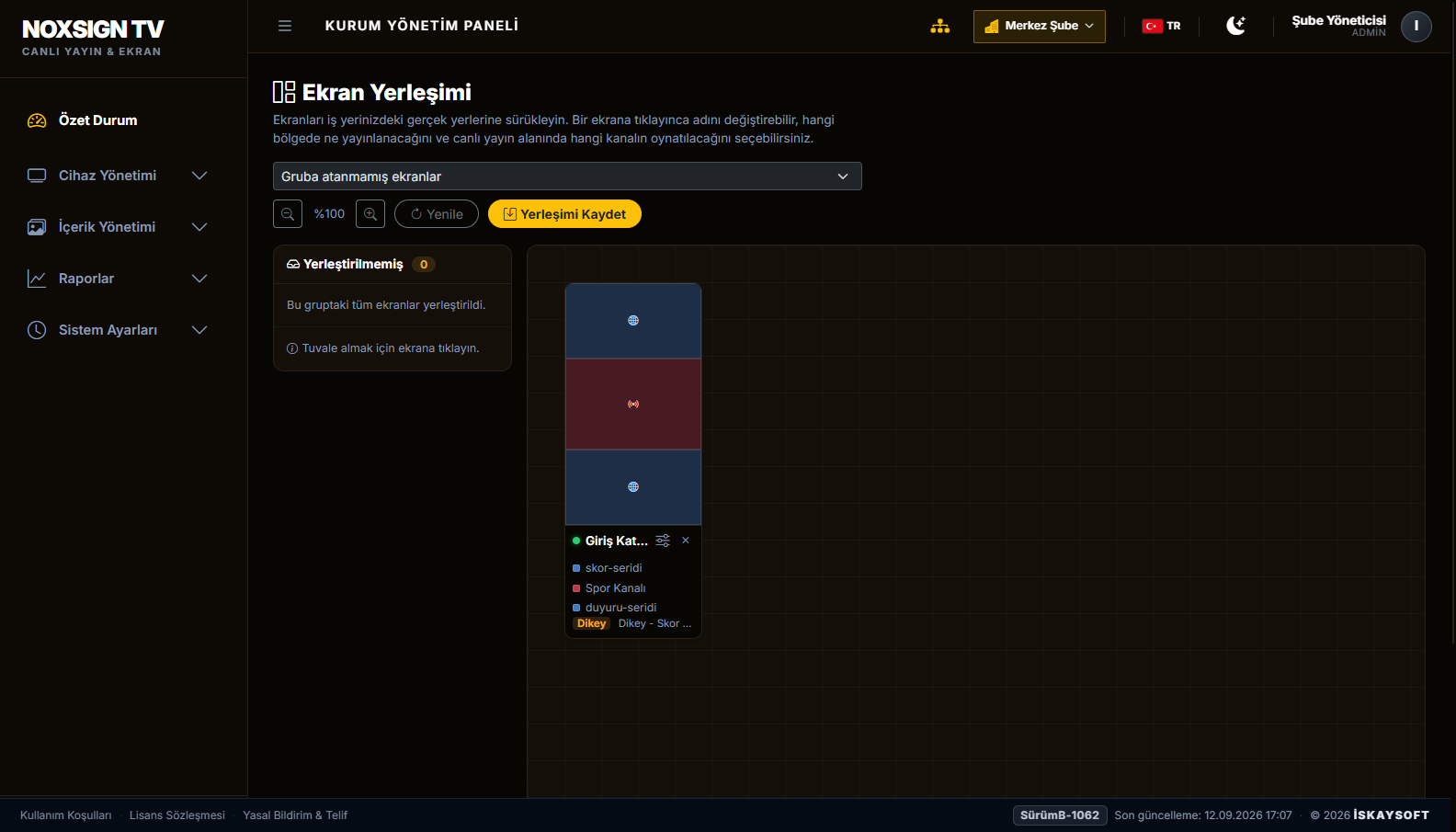
Screens are positioned on a canvas according to your site layout. Each screen card shows the content currently on air; a portrait screen is displayed in portrait proportions and a landscape screen in landscape.
Branch Authorisation
Head office defines branches and their permission level. A branch manages only its own screens; it cannot see another branch's configuration or access subscription details.
Remote Control
Volume, screen on/off and content refresh are handled from the panel. Screens switch on and off automatically according to defined working hours.
Self-Recovering Playback
When the live stream is interrupted the player re-establishes the connection by itself; it does not leave a frozen image on the screen and does not wait for on-site intervention.
Remote Maintenance
Application updates are delivered to screens remotely. Maintenance is carried out without dispatching a technician and without disrupting branch operations.
On Your Server or Ours
The system runs independently on its own server. It can be installed on your organisation's server, or İskaysoft can take on the hosting.
Management Panel
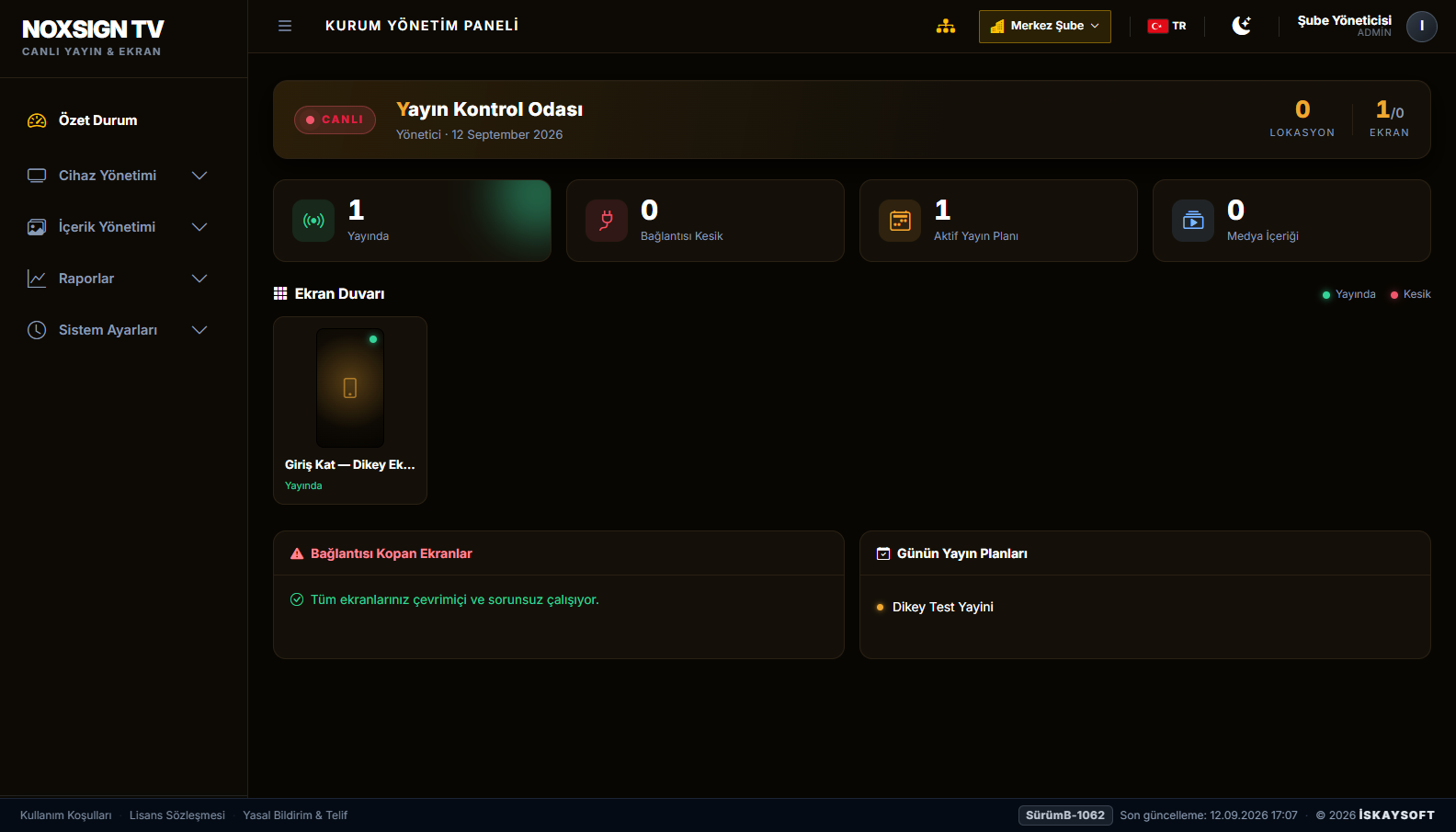
The images below are taken from the product's own management panel. The panel supports both dark and light themes; internal user and channel details are shown with sample values.
Scope of Service: Playback and Management Software
- No IPTV subscription, channel list or broadcasting service is provided. The subscription belongs to your organisation and remains in its name.
- The broadcast stream never passes through İskaysoft servers; the screen connects directly to your organisation's service provider.
- The channel list is not stored in the system and is not embedded in the screen application. Branches see only the channels authorised by head office.
- Rights relating to showing the broadcast on your premises are determined by the scope of your organisation's subscription.
Organisations With Customer Waiting Areas
Frequently Asked Questions
Do you also provide the subscription?
No. The system lets your organisation manage its existing subscription. The subscription is not provided, sold or arranged by us.
Will my existing subscription work?
It works with commonly used standard live stream addresses. Compatibility of your subscription is verified together before installation.
Can I add my own videos?
Yes. Promotional videos, campaign visuals, announcements, match score bars and menu screens can be published on the same screen as the live broadcast or in rotation with it.
How many screens can I manage?
It scales from a single branch to a multi-site branch network. Branches are managed independently; head office monitors the whole network from one panel.
What happens if the internet goes down?
Live broadcast depends on the internet connection; when the connection returns the player resumes by itself. Video and image content already downloaded to the device stays on air meanwhile.
Which screens does it run on?
It runs on Android-based professional displays and media player devices. The suitability of your existing hardware is assessed together.
Evaluate NOXSIGN TV in Your Organisation
Send us your number of branches and screen set-up; let's assess the right installation model for your organisation together.
- Free live demo and consultation
- Flexible pricing tailored to your needs
- Cloud or on-premise installation options